
Product Center

IN-ASSEM simulated pre-assembly software
Keywords:
Measurement Digitalization
Category:
Hotline:
Product Overview
I. Main Function Demonstration of In-Assem
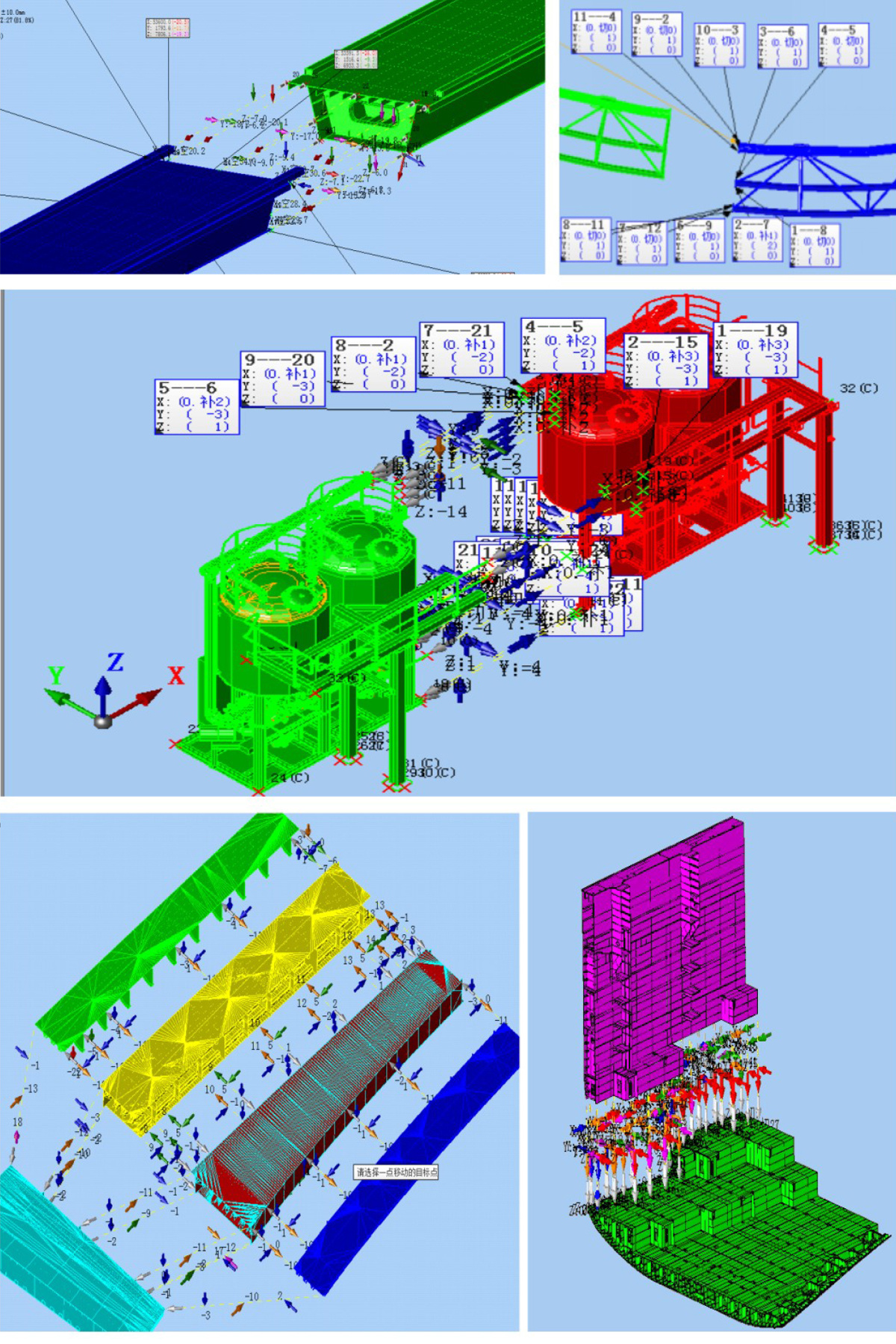
Multiple component simulation pre-assembly
II. In-Assem Function Introduction
Real-time access to all data
• By accessing the server, you can access all data in real time online, including design data, measurement data, drawings, and inspection forms.
Management (3D)
• Generate various measurement points and design points
Use various functions such as inserting coordinates, surface datum, length datum, 3-point center, and 4-point center to generate measurement points.
Simulate pre-assembly through the movement and rotation functions of the 3D model.
Analysis
• Component connection (automatic and manual)
Connect the datum component and pre-assembled component, and automatically analyze the gaps and overlaps between the components.
Simulate the assembly of multiple components.
• Set pre-assembly type and direction
When connecting components, you can set the pre-assembly type and direction to achieve various pre-assembly environments.
• Visual offset function
Use the visual offset function to move the datum segment or assembly segment along the ship's coordinate system X, Y, Z direction for easy observation of the pre-assembly joint surface position and structural docking conditions.
Create inspection form (2D)
• Generate projection surface and cutting surface
Various views of the projection surface and cutting surface can be generated.
• Manage measurement points and fast calculation
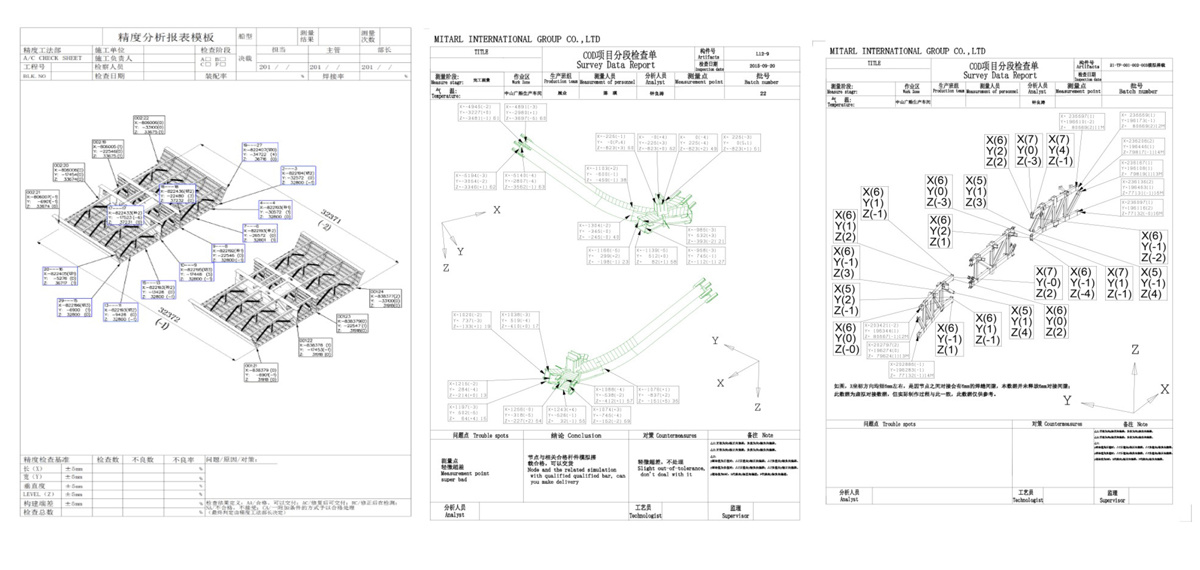
Various dimensions and symbols such as deviation, point coordinates, straight-line distance, theoretical value, coordinate axis, text box, and scale can be inserted.
• Save and print inspection form
The completed inspection form can be saved to the server or printed.
III. Report Generation
IV. Expected Effects
• Create inspection form
Use 3D project files to replace 2D drawings to achieve data sharing.
• Simulation pre-assembly
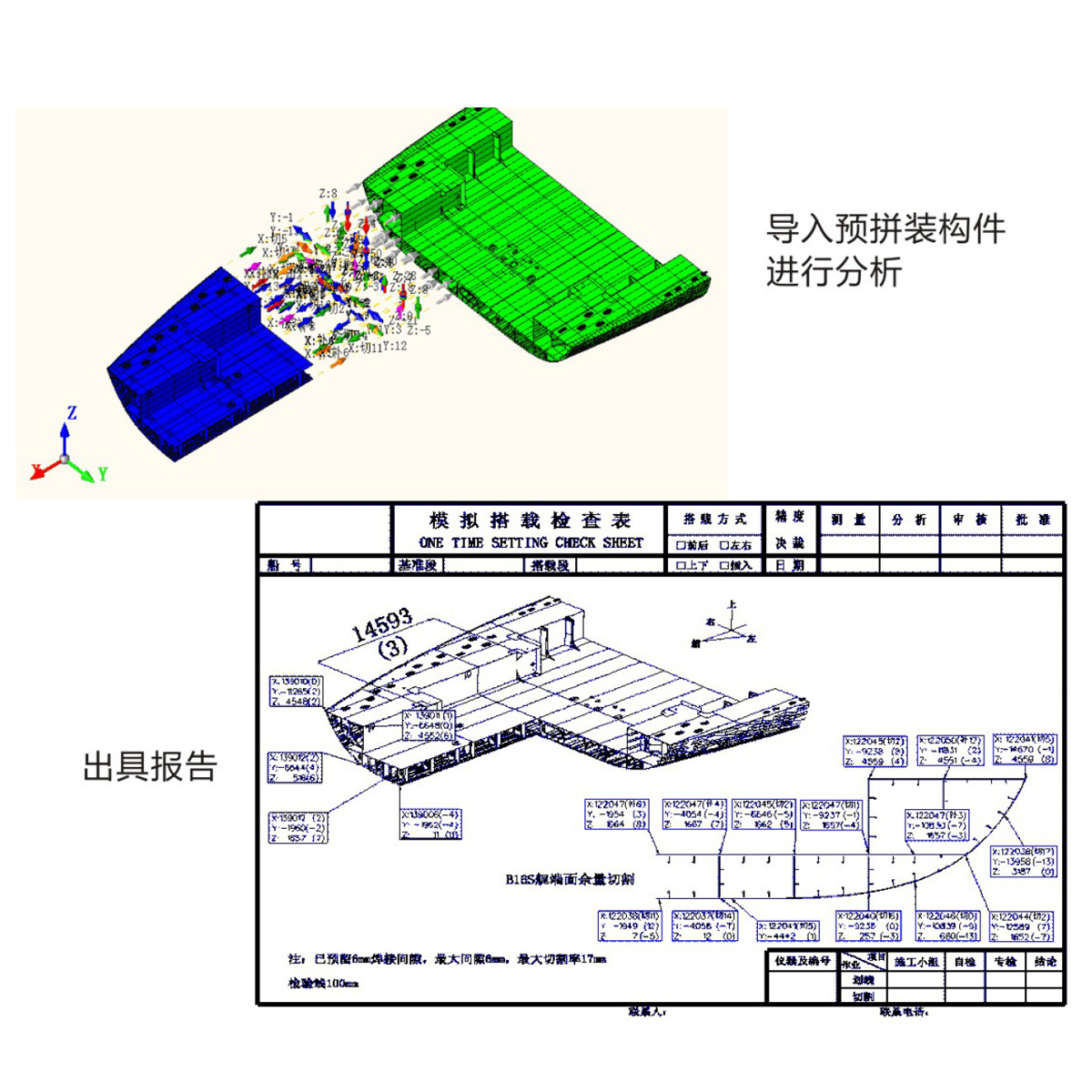
Simulation assembly of multiple sections for comprehensive pre-assembly analysis and high-fidelity simulation.
• Data sharing and management
Through the server, all data (sections, pre-assembly analysis projects, drawings, inspection forms, templates) can provide real-time information feedback to improve business efficiency.
• Achieve one-time pre-assembly
Through simulation pre-assembly and automatic analysis functions, deviation and working condition data can be obtained more conveniently and accurately, improving work efficiency.
Simulation pre-assembly can not only shorten the pre-assembly time, but also ensure the safety of on-site operations and manufacturing time, improving productivity and reducing costs.
V. Simulation Pre-assembly Cases
Company Address: Room 201, Building 11, No. 299, Bisheng Road, Pudong New District, Shanghai
Company Telephone:021-33830252
Company Fax: 021-33830253
Company Postcode: 201204
Company Email:service@shipac.com.cn